Showing posts with label Projects. Show all posts

Sunday, December 04, 2011

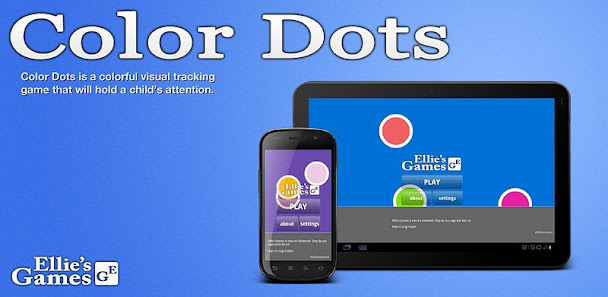
Introducing: Color Dots for Android


Color Dots is a colorful visual tracking game that will hold a child’s attention. A Simple and clean interface puts fun first.

My friend Erik makes iOS games for his daughter Ellie to play - Color Dots is the first one to come to Android!


FEATURES:
● Vibrant, Visually Stimulating Colors
● Popping Sounds
● Pop Vibration (iPhone)
● Smooth Animations
● Tablet and Phone Compatible
● No Ads! Perfect for infants!

Ellie's Games combines vivid colors and simple game functions to help your child grow while having fun. Color Dots is a bright, vivid color based game that helps expand a child's growing mind. Simple themes and a user friendly interface make all of Ellies Games simple and fun for children of all ages.
Ellies Games: Using vivid colors for a brighter tomorrow.
Have a great suggestion for Ellie's Games? Please send it to Erik@ElliesGames.com
Check out Ellie's other games on iOS:
- Rain Dots
- Color Squares
- Color Sliders

Thursday, October 27, 2011

DoublePost 2.0 on Android Ice Cream Sandwich

In my spare time after work I have been working on updating DoublePost, fixing some bugs, and improving the UI.

Tonight I had the chance to install and test on Ice Cream Sandwich (Android 4.0) - here are some screenshots for your enjoyment!

[gallery orderby="title"]

Monday, October 24, 2011

Actionscript: Finding orphan image files

For the last month or so I have been working on an Adobe AIR for Mobile project, I won't talk about the over all experience (it wasn't positive) - but I would like to share a quick bash script I threw together to find unused/orphaned images in my code base.

When it came time to submit that apps to the Apple AppStore, we found that they were far too large to meet the under 20Mb requirement to download over 3G.

The following script is pretty straight forward to use and supports only a few options. Most usage should simply be:


By default it scans the "src" folder at the current level the command is run from. It will scan any of the popular Adobe AIR file types for references to any of the files that are in the directory you specify (src/assets/backgrounds/ in the above example)

Here's what it looks like when it finds a potential orphaned file:


(If you tack on the -d argument it will automatically delete files that it thinks are orphaned*)

*Orphaned for me, is a file that is not explicitly referenced in code or XML. This script will not find files that are linked dynamically

[bash]
#!/bin/bash
DELETE=false
TRACE=false
filelist=
FOUND=0
MISSING=0
SOURCE_DIR="./src"

until [ -z "$1" ]; do
# use a case statement to test vars. we always test
# test $1 and shift at the end of the for block.
case $1 in
-d )
DELETE=true
echo "Will delete orphaned files"
;;
-t )
TRACE=true
;;
-s )
shift
SOURCE_DIR=$1
;;
-* )
echo "Unrecognized option: $1"
exit 1
;;
* )
filelist=$1
;;
esac

shift

if [ "$#" = "0" ]; then
break
fi
done


if [ -z "$filelist" ]; then
echo "Usage: countImages.sh path [-d] [-t] [-s dir]"
echo "Specify -d if you wish to remove orphaned files."
echo "Specify -t if you wish to show found files"
echo "Specify -s dir if you wish to specify a specific source directory to scan. Default is ./src"
echo "If you wish to find all source files a particular image is referenced in, simple specify a path to a file"
echo "instead of a directory for path."
exit 1
fi


echo "Scanning $SOURCE_DIR for images from $filelist"

for file in $filelist*
do
SHORT_FILE=`basename $file`

RET=`find $SOURCE_DIR -type f \( -name "*.xml" -o -name "*.mxml" -o -name "*.as" \) -exec grep $SHORT_FILE {} \; -print | grep -c "$SHORT_FILE"`
if [ $RET -eq "0" ]
then
echo "$file has no occurences"
MISSING=$[$MISSING+1]

if $DELETE
then
rm $file

if [ $? = 0 ]
then
echo "... removed"
fi
fi


else
if $TRACE; then
echo "Found: $SHORT_FILE ($RET)"
RET2=`find $SOURCE_DIR -type f \( -name "*.xml" -o -name "*.mxml" -o -name "*.as" \) -exec grep $SHORT_FILE {} \; -print `
echo $RET2
fi
FOUND=$[$FOUND+1]
fi

done

echo "Found $FOUND files"
echo "There are $MISSING missing files that are potentially orphans."
[/bash]

Thursday, September 01, 2011

Android: Testing C2DM service from a shell

Recently I did some debugging of an existing Google C2DM infrastructure for an Android project. I wanted to test to see if the Android application was actually capable of receiving "messages" from the Google C2DM servers.


Android Cloud to Device Messaging (C2DM) is a service that helps developers send data from servers to their applications on Android devices. The service provides a simple, lightweight mechanism that servers can use to tell mobile applications to contact the server directly, to fetch updated application or user data. The C2DM service handles all aspects of queueing of messages and delivery to the target application running on the target device.


Basically the infrastructure is: Hosted servers (on your backend) send messages to Google C2DM service, and Google pushes those messages to the appropriately registered Android handsets.

I did not have access to the backend infrastructure, but wanted to send messages to my handset anyway.

The following is a bash script which you can use to push messages to Google's C2DM service, assuming you have the AUTH key for the backend server and the Registration ID of the receiving handset.

[shell]
#/bin/bash

REG_KEY=APA91bHuJQtqbrbkA......QFzpaJPuXY

AUTH_KEY_NPIKE=DQAAAO8........AC4P0

AUTH_KEY=$AUTH_KEY_NPIKE


#echo
echo Send Game Alert to Device
echo test_c2dm_sendGameAlert.sh [waitTime] [device_reg_key] [auth_key]
echo

# reg key
if [ ! -z $2 ];
then
REG_KEY=$2
echo Using user provided device registration key of: $REG_KEY
echo
fi

# auth key
if [ ! -z $3 ];
then
AUTH_KEY=$3
echo Using user provided auth key of: $AUTH_KEY
echo
fi

if [ ! -z $1 ];
then
WAIT=$1
echo Will wait for $WAIT seconds before sending C2DM message.

for (( c=1; c<=$WAIT; c++ ))
do
DELAY=$(($WAIT - $c))
echo -ne "$DELAY "

sleep 1
done
fi


echo Sending C2DM message to Google..
echo
C2DM_RESPONSE=`curl "https://android.apis.google.com/c2dm/send" -d "registration_id=$REG_KEY" -d "collapse_key=1" -d "data.mediaActionKey=Go There" -d "data.alert=New England Patrios win the Superbowl!very long very long very long very long very long very long very long very long" -d "data.mediaId=2010090900" -H "Authorization: GoogleLogin auth=$AUTH_KEY" -s`

echo C2DM Response:
echo $C2DM_RESPONSE

echo
echo Complete.
[/shell]

You can either hardcode in the appropriate keys, or you can pass them as arguments.


./test_c2dm_sendGameAlert.s 0 myDeviceKey myServerAuthKey


The very first argument is a "delay" time - hand if you want to kick off the script, and then run into your manager's office to say: "Hey check out this notification from the Google C2DM service!"


./test_c2dm_sendGameAlert.s 30


Monday, August 29, 2011

Monitoring subversion repositories for commits

If your subversion repository doesn't have commit emails turned on - don't fret!  It's fairly simple to monitor commits yourself with a simple bash script ( and growl and a launch agent if your on OSX).

Below is my bash script, that monitors a list of repositories for revision changes:

[bash]
#/bin/bash

# SETUP
growlNotify=/usr/local/bin/growlnotify

if [ ! -f $growlNotify ];
then
echo "Cannot find growlnotify, script will abort."
exit 1
fi

# loop through watch_list
while read repo_url; do
# format SVN repo URL to clean name
# first, strip underscores
CLEAN=${repo_url//_/}
# next, replace spaces with underscores
CLEAN=${CLEAN// /_}
# now, clean out anything that's not alphanumeric or an underscore
CLEAN=${CLEAN//[^a-zA-Z0-9_]/}

# rename $CLEAN to $CLEAN_old
mv tmp/$CLEAN tmp/${CLEAN}_old > /dev/null 2>&1

# run svn info repo, save output to $CLEAN
svn info $repo_url > tmp/$CLEAN

# run diff on $CLEAN and $CLEAN_old
diff tmp/$CLEAN tmp/${CLEAN}_old > /dev/null 2>&1

# if difference, show growl
if [ $? = 1 ]
then
SVN_REV=`awk '/Last Changed Rev: ([0-9]*)/{print $4}' tmp/$CLEAN`
SVN_NAME=`awk '/Path: (.*)/{print $2}' tmp/$CLEAN`
SVN_LOG=`svn log $repo_url -r$SVN_REV`

$growlNotify -n SVNMonkey -m "$SVN_NAME $SVN_LOG"
fi
done < watch_list
[/bash]

For the OSX, I have a launch agent that runs every 300 seconds (5 min). You can either recreate it yourself (I recommend using the free version of Lingon), or you can modify the following plist and use the following commands to install it.

[xml]
<?xml version="1.0" encoding="UTF-8"?>
<!DOCTYPE plist PUBLIC "-//Apple//DTD PLIST 1.0//EN" "http://www.apple.com/DTDs/PropertyList-1.0.dtd">
<plist version="1.0">
<dict>
<key>Label</key>
<string>net.npike.svnmonkey</string>
<key>ProgramArguments</key>
<array>
<string>/Volumes/npike 1/phunware/Dropbox/android/tools/svn_monkey/svn_monkey.sh</string>
</array>
<key>StartInterval</key>
<integer>300</integer>
<key>WorkingDirectory</key>
<string>/Volumes/npike 1/phunware/Dropbox/android/tools/svn_monkey</string>
</dict>
</plist>
[/xml]

Notes:

  • ProgramArguments - Should be the full path to the bash script.

  • StartInterval - The amount of time in seconds you wish the script to re-run

  • WorkingDirectory - The full path to the directory where the bash script lives


Once you have the script saved to your mac (in its own directory), follow these instructions:

  1. Make sure growlnotify is installed (for all users). This in the "Extras" folder in the growl download zip

  2. Make sure the plist reflects the correct paths/locations on your machine

  3. Make sure you create a "tmp" folder in the same directory as the bash script.

  4. Open a terminal window to the same directory as the bash script.

  5. Install the launch agent:
    [shell]
    launchctl load net.npike.svnmonkey.plist
    [/shell]

  6. Start the launch agent:
    [shell]launchctl start net.npike.svnmonkey[/shell]


For completeness, you can also download a zip file which contains:

  • The bash script

  • Example watch_list

  • plist for running as a launchd script on OSX

  • Readme for getting the launchd script running on OSX

  • Expected directory structure (needs an empty tmp folder relative to the script)


Download svn_monkey.zip
Friday, July 29, 2011

Stalker: Demographics

So what's more creepy than an Android application that stalks your Facebook friends for you?  The fact that Facebook itself, is stalking the users who install it!

Apparently Facebook keeps track of a lot of the API usage for applications, and one of the more interesting pieces of data is the "Demographics" statistic.

Stalker has only been out for about 20 days, so here's what Facebook has recorded so far of all the folks that have installed it:


Monday, July 11, 2011

Introducing: Stalker for Android


Don't miss out on someone else's important life event again!

Tired of continually opening the Facebook application on your phone to check the Facebook status of a few people? Is your girlfriend on a trip to Wine Country, and you want to live vicariously through her adventures? Is there someone you just met at a bar and are anxious to find out if they find you "interesting"?

Stalker is just the app for you!

Stalker will connect to your Facebook account and notify you anytime a select list of friends has updated their status (or when they have anything happen on their wall)!


Stalker is free and ad supported. You are limited to only stalking a single friend unless you purchase the Stalker License application ($1.99) from the market. Once you have the Stalker License application purchased all ads will be removed, and you can stalk as many friends as you would like.

Market Link

Sunday, April 17, 2011

Android: Baseball Reg Season Standings 2.2 Released

Changes:


  • added schedule for the next 30 days

  • fixed spacing on widget

  • support for landscape widget mode

  • updated the look of the division standings


Changes for the LITE version:


  • Fixed spacing on widget

  • Added "nag square" on the widget to advertise the $0.99 widget

  • Clicking on the widget will launch the Android Market and bring you to the page to buy Baseball Reg Season Standings 2011


Thanks to Erik Bye for the design help - I am sure many improvements to come!

Monday, April 11, 2011

ChromeTabs

My typical weekend day is spent juggling my Macbook, my iPad, and my smart phone.  Each device running a completely different browser from the other.

Frequently I do a bunch of surfing on my Macbook, only to jump into bed with the iPad - or to take the dog for a walk (with my smartphone along for the ride).

Why can't my "tabs" in chrome come with me?

Firefox 4 has a nifty feature called Weave (the Weave project itself has been around for awhile, long before Firefox 4) - but this of course doesn't do me any good if I use Chrome as my browser on my MacBook, mobile safari on my iPad, and the browser on Android.

I decided to throw together a quick extension for Chrome that monitors my currently opened tab set - and keeps track of them via a small website that I can visit on any of my other devices to see what tabs I have open.


Good enough for me, for now - but I could easily see myself turning this into a full fledged extension and service for other people to use.

Wednesday, March 23, 2011

Android: Baseball Reg Season Standings 2011

It's almost ready! I have completely revamped the 2011 version of Baseball Reg Season Standings widget for Android and am very excited to release it on Opening Day.

So far only one addition to the feature list (the game of the day per team) - but the look, speed, and stability of the widget has been improved across the board.

Here's a few screenshots for now:

Tuesday, March 15, 2011

Introducing Opening Day for Android


It might be a surprise to some of you that I am still a baseball fan (even though I just recently became one).

Opening day is almost here for Major League Baseball, and I have decided to celebrate with a new Android Widget:  Opening Day for Android.

Description in the Android Market:
Opening day for Major League Baseball season is almost here! Don't miss out on the first game, use Opening Day Countdown to keep track.

Note: Not affiliated with MLB.

Keywords: baseball, mlb, opening day


Get it on the Android Market (for free!) here.

Wednesday, February 23, 2011

HDF5: Fixed length strings

For the sake of Google searches - here is a bit of code on how to create compound data types with fixed length strings in HDF5 H5 files.


/**
* Create the H5 file with the contents of the Data list.
*/
public Boolean create() {
try {
FileInfo h5 = new FileInfo(this.h5Path);

H5FileId fileId = null;
if (this.makeNew) {
fileId = H5F.create(h5.Name, H5F.CreateMode.ACC_TRUNC);
H5F.close(fileId);
}
fileId = H5F.open(h5.Name, H5F.OpenMode.ACC_RDWR);

H5DataTypeId stringMeasurand = H5T.copy(H5T.H5Type.C_S1);
H5T.setSize(stringMeasurand, (uint)MEASURAND_LENGTH);

H5DataTypeId stringChannel = H5T.copy(H5T.H5Type.C_S1);
H5T.setSize(stringChannel, (uint)CHANNEL_LENGTH);

H5DataTypeId tid1 = H5T.create(H5T.CreateClass.COMPOUND,(uint)System.Runtime.InteropServices.Marshal.SizeOf(typeof(dictStruct)));
H5T.insert(tid1, "Measurand", 0, stringMeasurand);
H5T.insert(tid1, "Rate", MEASURAND_LENGTH, H5T.H5Type.NATIVE_FLOAT);
H5T.insert(tid1, "Channel", MEASURAND_LENGTH+sizeof(float), stringChannel);

// Rank is the number of dimensions of the data array.
const int RANK = 1;
ulong[] attributeDims = new ulong[RANK];
attributeDims[0] = (ulong)data.Count;

H5DataSpaceId spaceId = H5S.create_simple(RANK, attributeDims);
H5DataSetId dataSetId = H5D.create(fileId, "/foo",
tid1, spaceId);

H5D.write(dataSetId, tid1, new H5Array(data.ToArray()));
H5T.close(tid1);

H5D.close(dataSetId);
H5F.close(fileId);

return true;
} catch(Exception ex) {
Console.WriteLine(ex.Message);
return false;
}

return true;
}


/**
* Create a new struct with the specified measurand information.
*/
private unsafe dictStruct addRow(string measurand, float rate, string channel) {
dictStruct retval = new dictStruct();

byte[] mBytes = System.Text.Encoding.ASCII.GetBytes(measurand);
byteCopy(mBytes, retval.measurand,MESSAGE_LENGTH);


retval.rate = rate;

byte[] channelBytes = System.Text.Encoding.ASCII.GetBytes(channel);
byteCopy(channelBytes, retval.channel, CHANNEL_LENGTH);


return retval;
}


And then how you define your struct:


public const int MEASURAND_LENGTH = 16;
public const int CHANNEL_LENGTH = 12;

[StructLayout(LayoutKind.Sequential, Pack=1)]
public unsafe struct dictStruct {

public fixed byte measurand[MEASURAND_LENGTH];
public float rate;
public fixed byte channel[CHANNEL_LENGTH];

}

Thursday, January 20, 2011

Android: Automating Emulator Actions

When testing Android apps in the Android Emulator you often have to trigger multiple events by hand that a real phone would do on its own for a given "real" event, like plugging in a power cable.

Simulating a power cable being connected to the emulator requires two separate events,
power status charging

and
power ac on

To interact with the android emulator you telnet into it to get an interactive shell - which enables you to send all sorts of commands to it.  Typing in commands like the above over and over to simulate a power cable being connected is annoying at best.

On OSX I have written the following python scripts to enable the condition(s) I want with a single command.

#!/usr/bin/python
import telnetlib
tn = telnetlib.Telnet("localhost",5554)
tn.write("power status charging\r\n")
tn.write("power ac on\r\n")


Save that guy as "power_on.py" in your android-sdk/platform-tools directory - and any time you want to simulate the power cable being connected simply type:
power_on.py

... and for an added bonus here is my power_off script:

#!/usr/bin/python
import telnetlib
tn = telnetlib.Telnet("localhost",5554)
tn.write("power status discharging\r\n")
tn.write("power ac off\r\n")

Saturday, January 08, 2011

Android: Introducing BatteryUptime Pro

Pro version of the popular Battery Uptime widget!

Keeps track of the time your Android phone is unplugged.  Records your best run time.  (Same as Settings->About Phone->Battery), and charts your battery uptime over the course of the last 30 days.

Pro version of widget also features the ability to refresh more often than every 30 minutes!

Pro version of widget also features a quick way to navigate to the Android System Battery Stats straight from your homescreen!

After installing the widget, connect your phone to AC power and then remove from AC power to start tracking battery uptime.

lightning-iconPro version of the popular Battery Uptime widget!

Keeps track of the time your Android phone is unplugged.  Records your best run time.  (Same as Settings->About Phone->Battery), and charts your battery uptime over the course of the last 30 days.

Pro version of widget also features the ability to refresh more often than every 30 minutes!

Pro version of widget also features a quick way to navigate to the Android System Battery Stats straight from your homescreen!

After installing the widget, connect your phone to AC power and then remove from AC power to start tracking battery uptime.

Available in the Android Marketplace for $0.99

qrcodescreenshot_config
screenshot_chart

Wednesday, October 20, 2010

DoublePost for Android 1.1


  • Removed Ads!

  • Fixed lots of bugs: Restoring text when hiding app, receiving phone calls, rotating phone

  • New UI colors. Still looks like crap, but I am working to improve it

Sunday, October 03, 2010

Android: Introducing DoublePost for Android

I frequently find myself posting an update to Twitter, realizing my genius and creativity, and then posting the same exact message to Facebook.  (After fumbling around in various Android applications to copy and paste).
screenshot2
Twitter for Facebook lets anyone with a public account sync their twitter status to their Facebook status.  That works great, except it only works for public accounts!  Folks (like me) with private accounts need not apply...

Of course various Twitter applications, and web services offer to simultaneously post to Twitter and Facebook, but I dont feel like changing Twitter clients or giving my Twitter and Facebook credentials to a 3rd party website.

DoublePost for Android lets me control which messages I post to both services, and keeps my account credentials safe in my possession.

Available on the Android market for FREE today (ad supported).

qrcode
Quick application to simultaneously post status updates to Twitter and Facebook.

Do you repeatedly post something to twitter, only to use the same status to update Facebook later?

Why give your account information to a third party? DoublePost uses the built-in account verification of both Twitter and Facebook.

Thursday, September 02, 2010

Android: BatteryLastUnplugged 1.3 (renamed to BatteryUptime)

First, a little bit of an Android Developer PSA: Do not lose the private key used to sign your app during your first publication! This key is needed to continuously sign your application before uploading to Google. Keep it backed up..

I am rather embarrassed that I did indeed lose my private key, and there is no way to recover from this.  You have to rename your application, resign with a new key, and reupload to google =(qrcode

Changelog:

  • New slightlier less ugly widget design

  • Code improvements necessary to introduce stats in the next update.

  • Achievement messages! Will show a toaster dialog when you bet your average and best times.


Tuesday, August 24, 2010

Android: Shush 1.4

Version 1.4

- Start on boot

- Fixed notification sticky

- Turned off debug logging

Version 1.4

- Start on boot

- Fixed notification sticky

- Turned off debug logging

- Additional code cleanup

Sunday, August 15, 2010

Android: Introducing Shush

Shush will reduce your ringer and notification volume when your screen is on (who needs to have the volume be super loud when you are right in front of your phone anyway?) and then return the volume to normal when your screen is off.

screenshot2
screenshot1

Available in the Android Market for free.


qrcode